Skip to content

BookingDispatchChauffeur appBilling

Your fleet.
Your way.

PaxFleet fits the way your company already works, not the other way around. Your booking website, office, chauffeur app and billing run as one system, tailored to you and delivered as a service.

  • Done-for-you setup
  • Your logo, colors and domain
  • Updates included
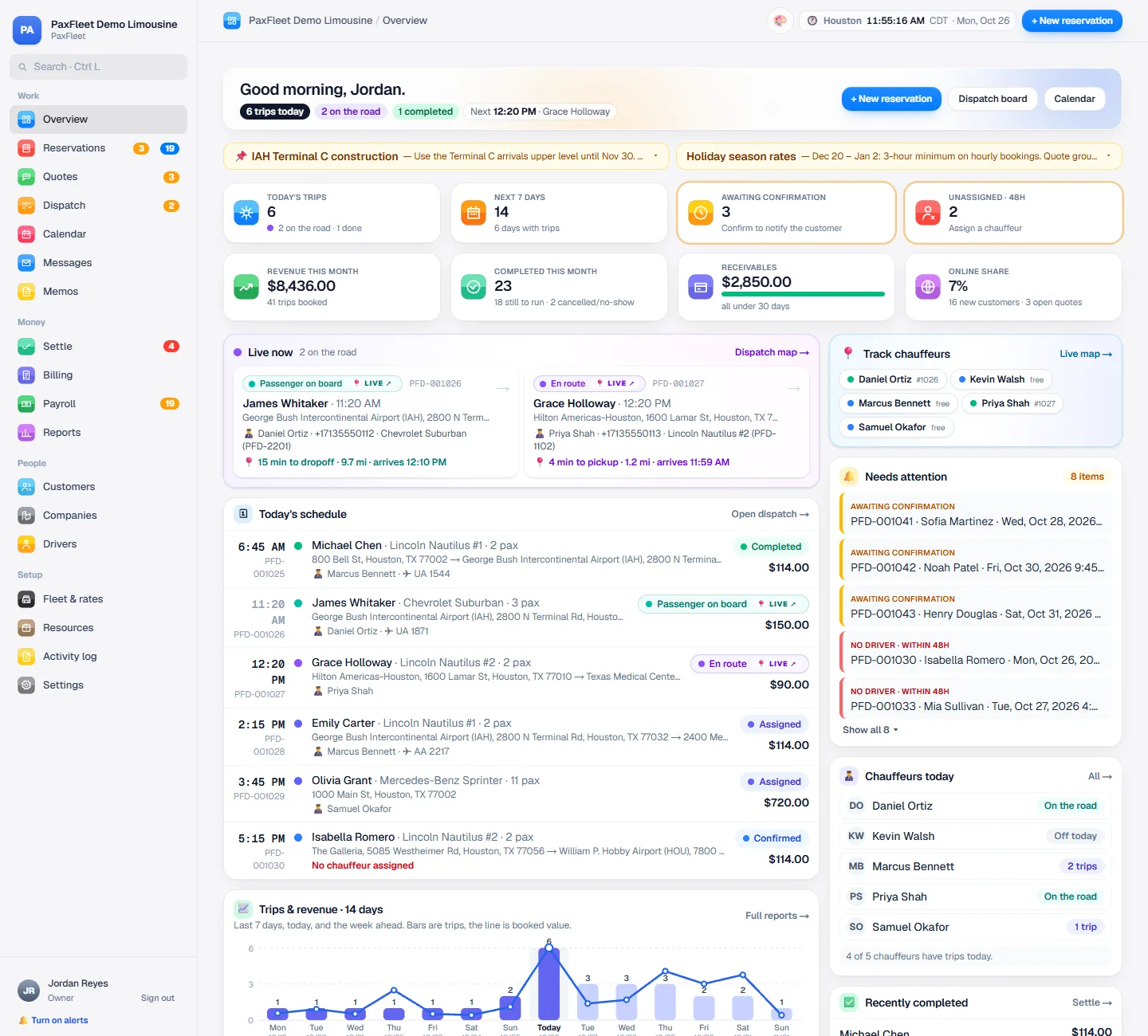
The PaxFleet office overview: today's trips, chauffeurs on the road and what needs attention
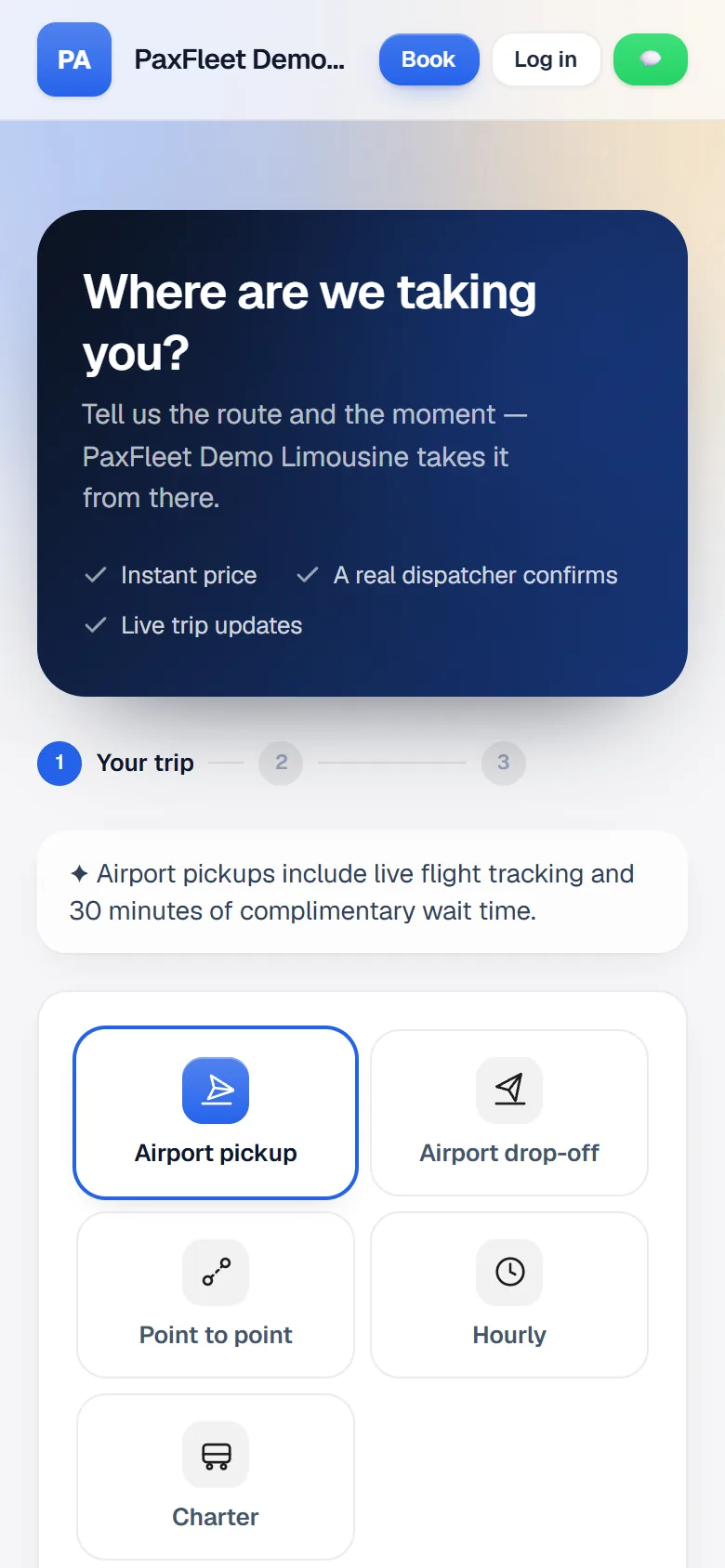
The customer booking page on a phone: choose airport pickup, drop-off, point-to-point, hourly or charter
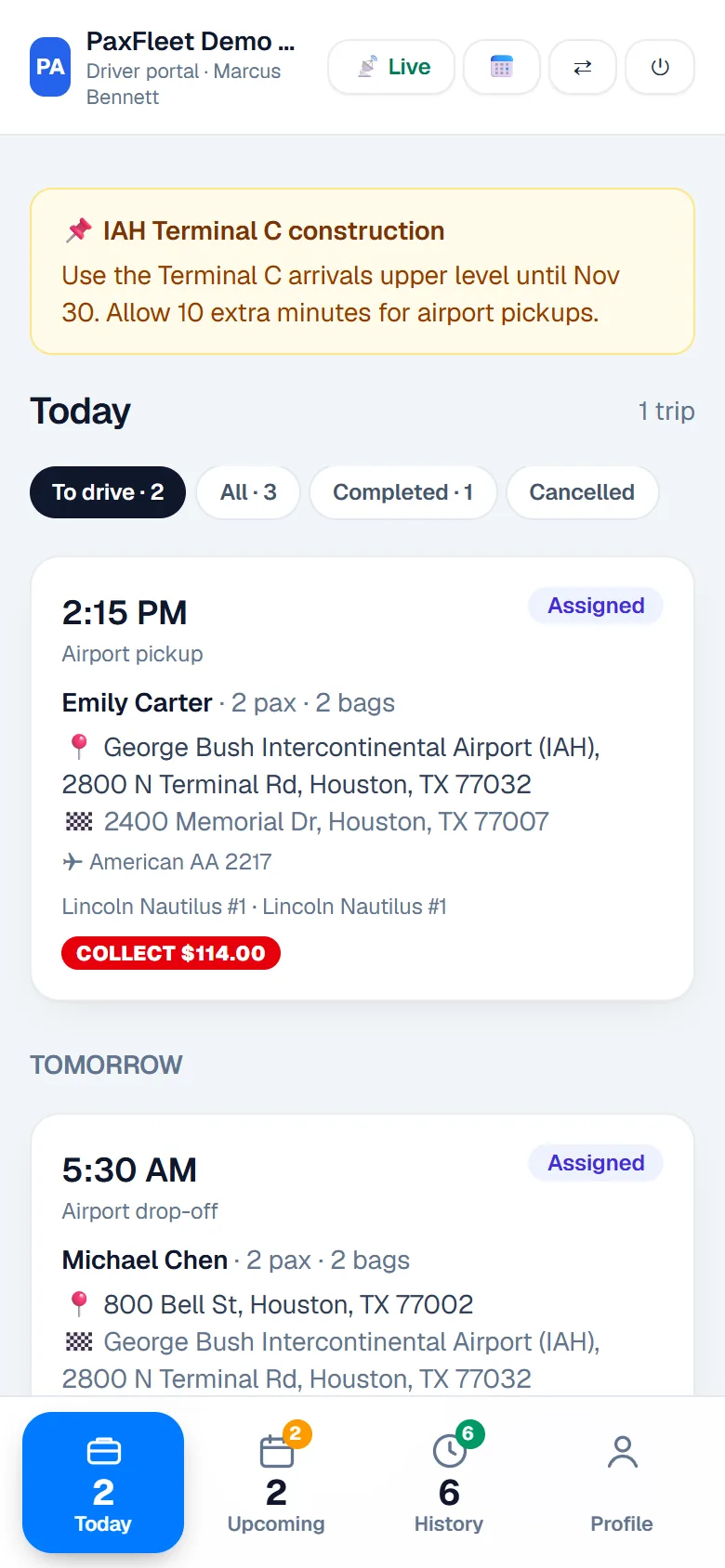
The chauffeur app with today's trips

For every kind of chauffeured fleet

  • Sedans
  • SUVs
  • Sprinter vans
  • Limousines
  • Shuttles
  • Party buses

One system

Stop running your company across five tools.

Many offices juggle a website form, a spreadsheet, a group chat, a card machine and a word processor, and type the same trip into each. PaxFleet does all five jobs, so a trip is entered once.

  • A booking form on the website, replaced byYour booking websiteBookings land straight on your board
  • A dispatch spreadsheet, replaced byReservations and dispatchEvery trip, chauffeur and car for the day
  • A group chat with chauffeurs, replaced byThe chauffeur appNo trip details lost in a chat
  • A separate card terminal, replaced byCard paymentsCharged from the trip, or matched to it from Square
  • Invoices in a word processor, replaced byInvoices and statementsMade from the trips themselves

Built around your business

Not a standard app. Yours.

Every transportation company runs differently. PaxFleet is one platform that we set up to your rules, so it feels like software made for you, with the updates and support of a service.

Included

Set up your way

We configure PaxFleet with you before you go live. The six areas below are yours to decide.

On request

Custom features for your company

Need something your business does differently? We build it, and it becomes part of your PaxFleet, kept up to date like everything else.

  1. Your brandLogo, colors, your own web address
  2. Your servicesAirport, point-to-point, hourly, charter
  3. Your pricingAgreed prices per customer, or automatic rates
  4. Your messagesWho is told what, and when, in your words
  5. Your documentsConfirmations, trip sheets, invoices, receipts
  6. Your teamOwner, admin, dispatchers, reservationists, accounting, chauffeurs
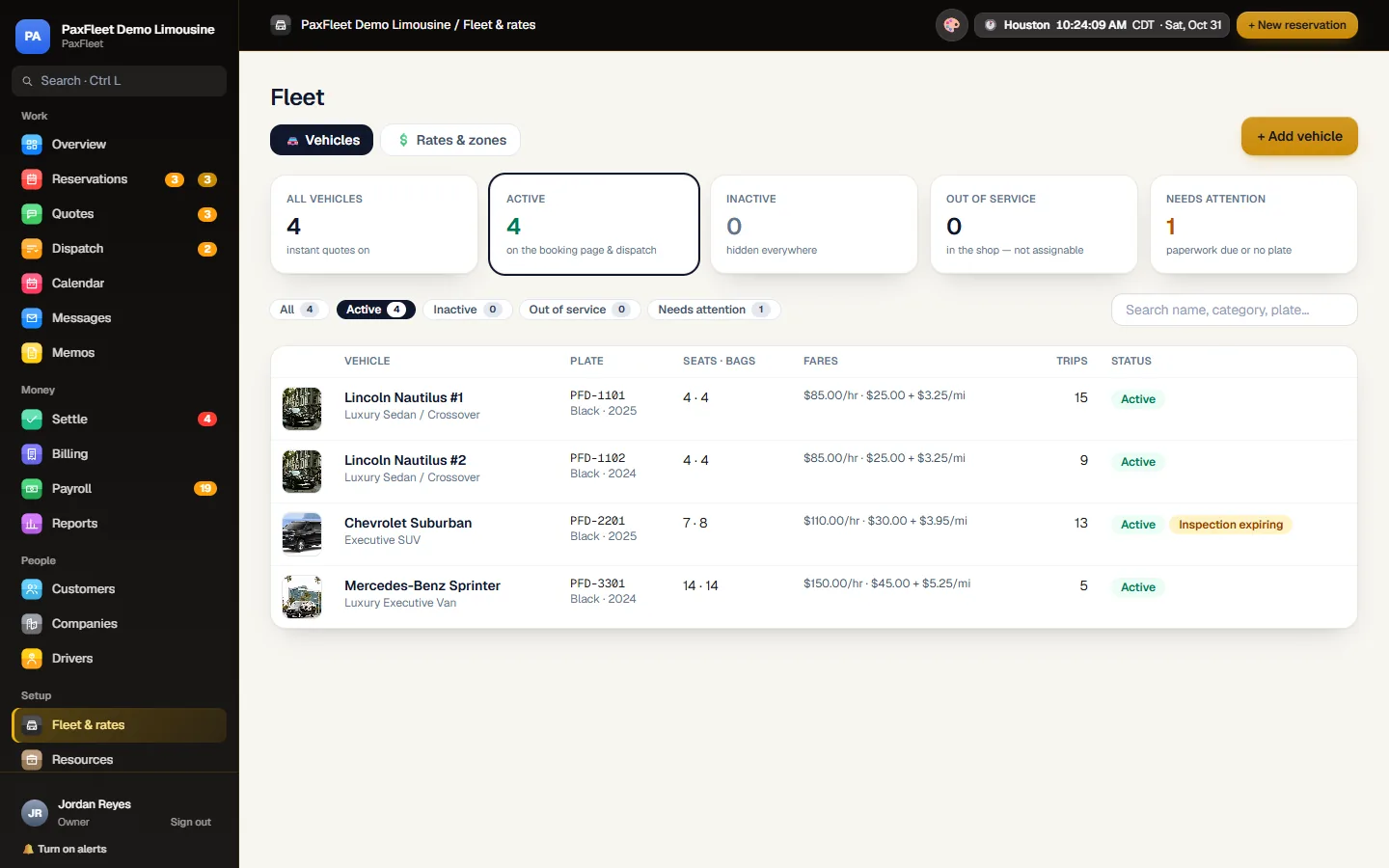
The office in the black and gold Luxe theme, on the Fleet page: each vehicle with its photo, plate, seats, fares and status
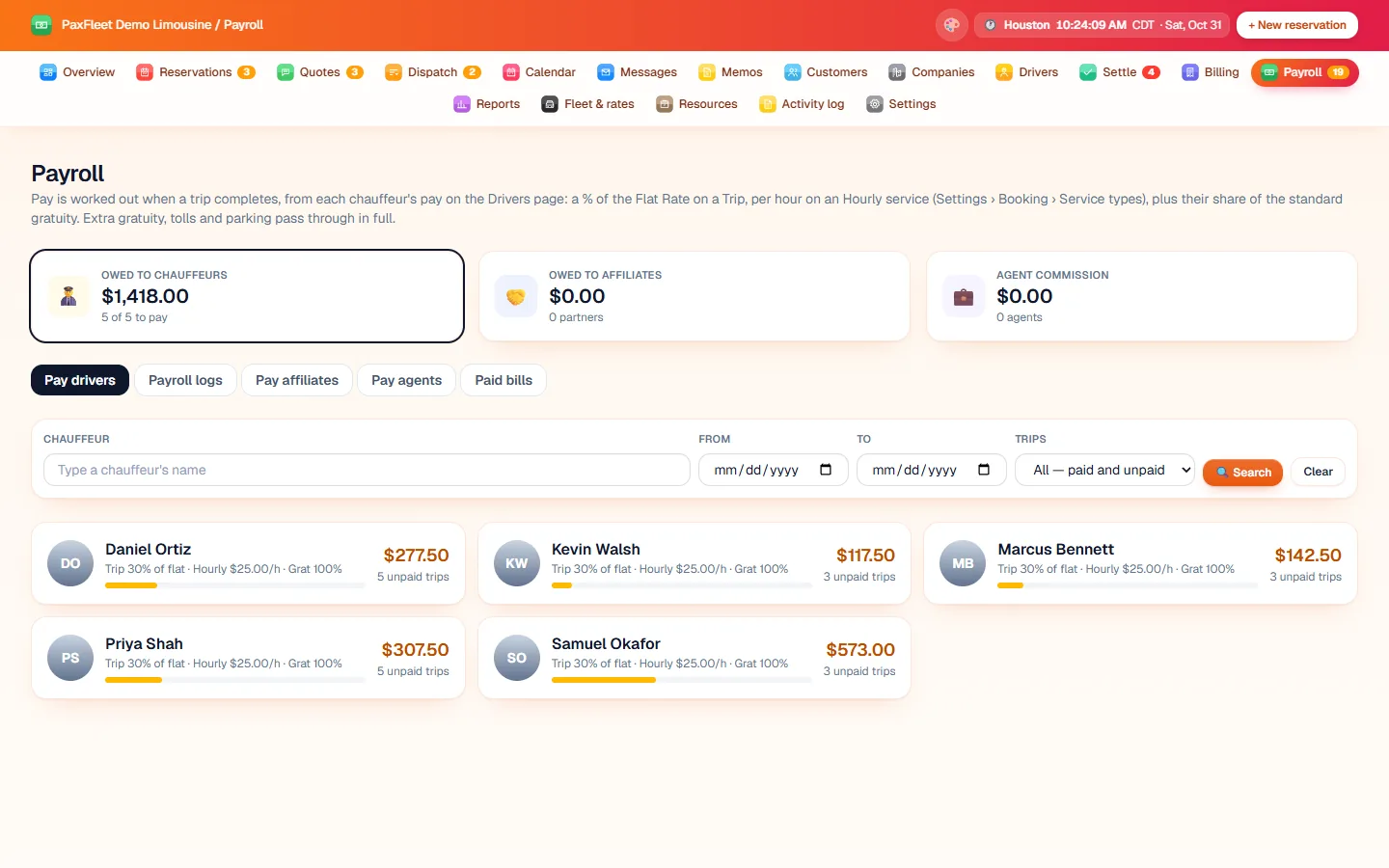
The office in the Sunset theme, with the menu across the top, on Payroll: what each chauffeur is owed

Seven office themes. Your own colors on the booking website.

Everything in one place

From the first booking to the final invoice.

The booking, the trip, the chauffeur, the payment and the paperwork stay connected from the first click to the final invoice.

Online booking

A booking website with your name on it

Customers book airport transfers, point-to-point, hourly and charter trips in a few taps, on any phone. You decide whether they see a price straight away or ask for a quote.

  • Instant prices or quote requests, your choice
  • Airline and flight number asked for on airport pickups
  • Card on file, pay now or pay later
  • Customer accounts to see trips, request changes or cancel
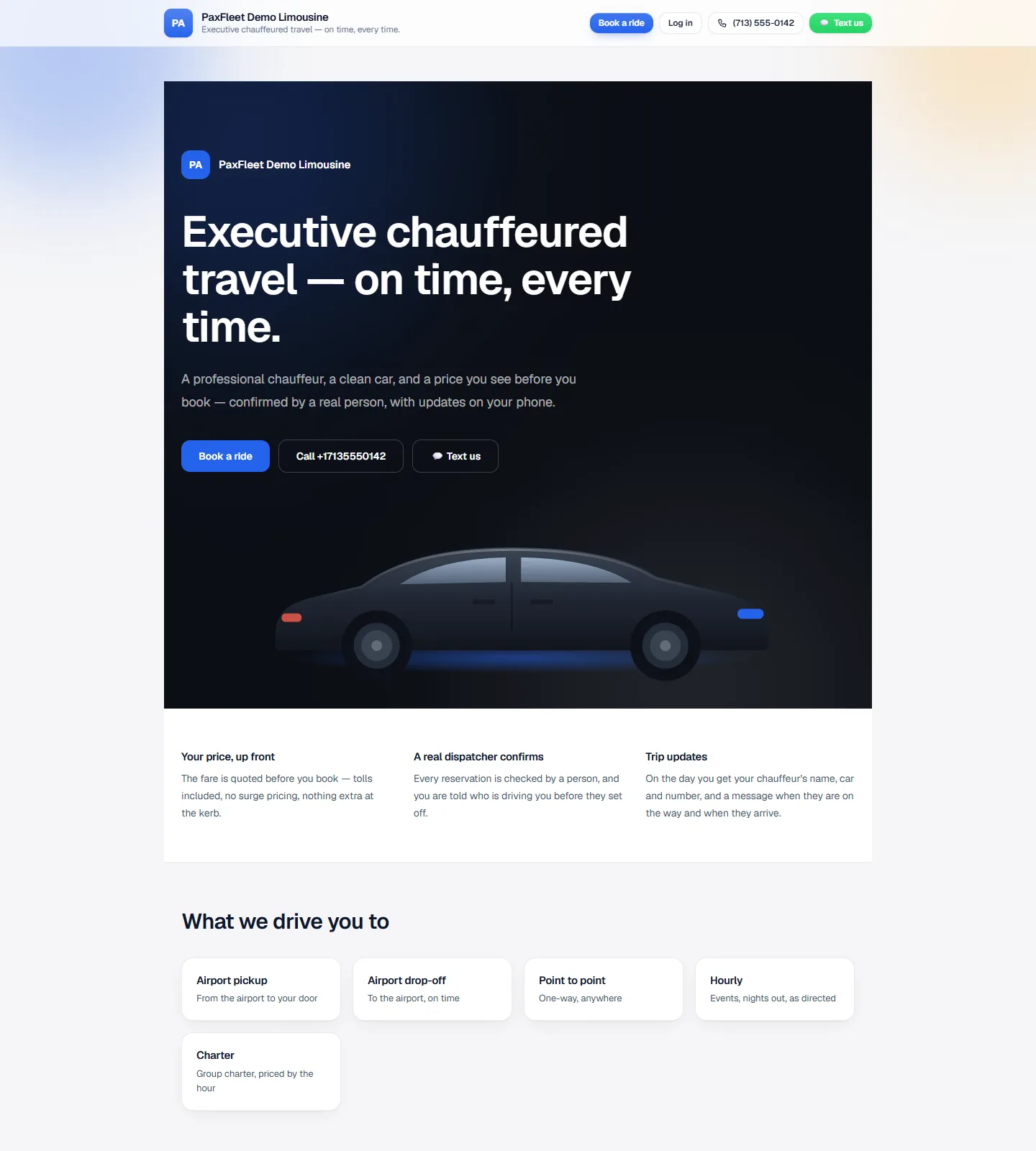
A company's booking website: executive chauffeured travel, Book a ride, Call and Text us
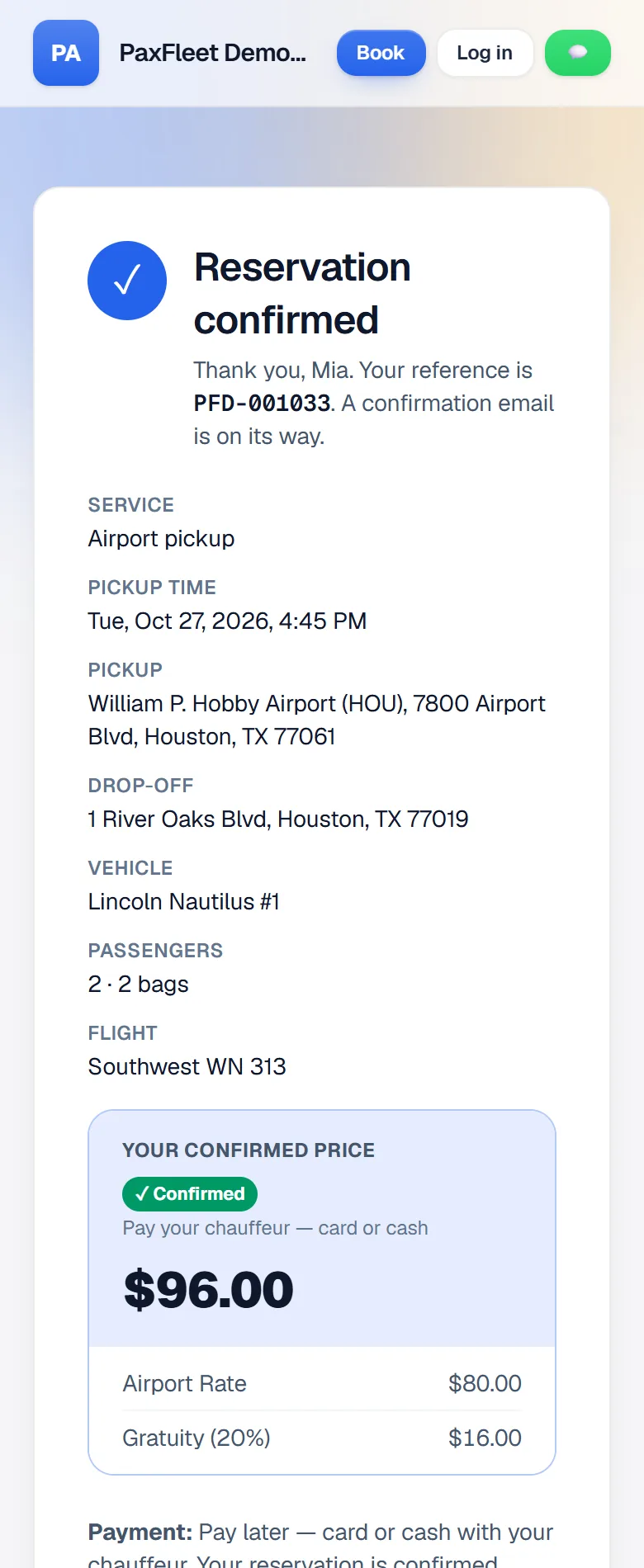
The customer's Reservation confirmed page with the reference, pickup, drop-off and confirmed price

Quotes

Send a quote, they accept and book

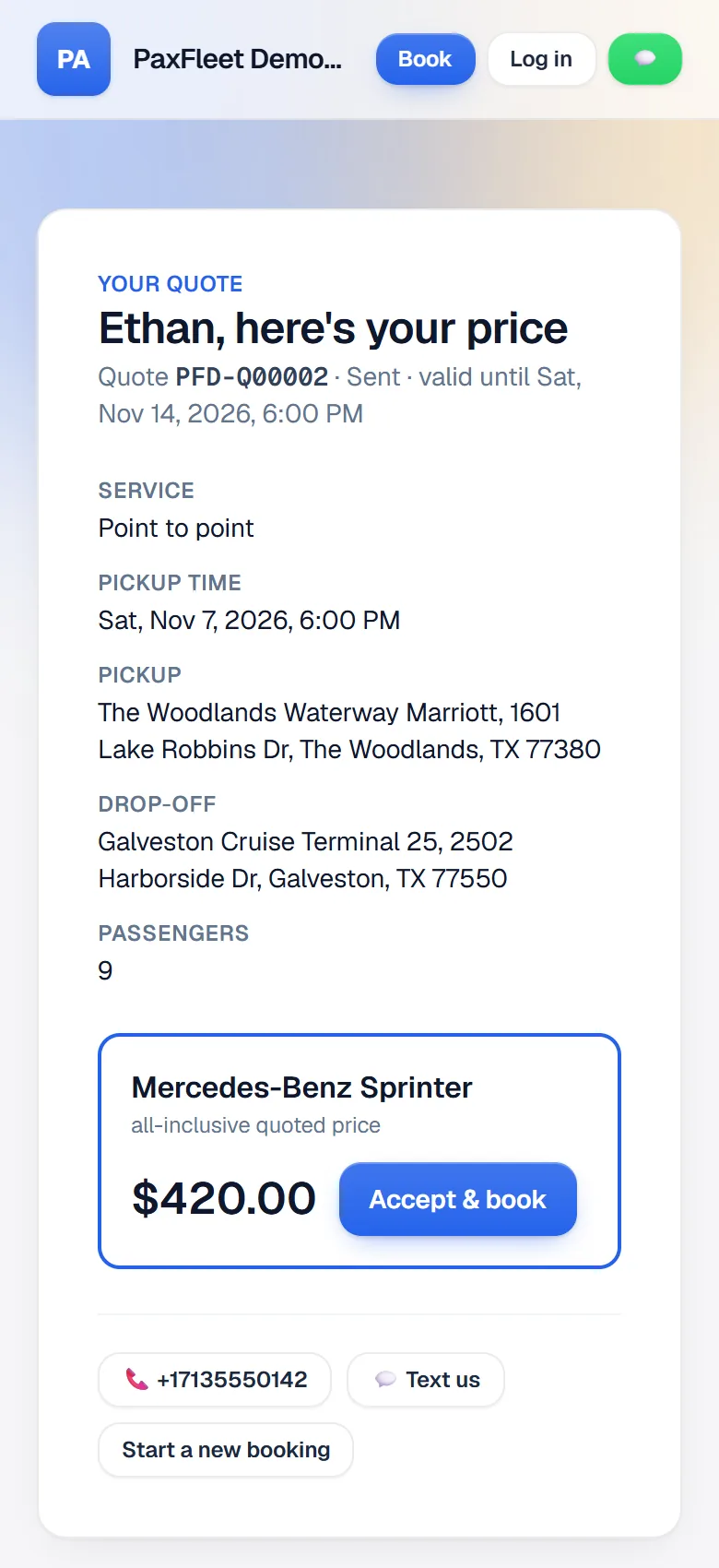
A group charter or a long trip needs a price first. Send the quote from the office; your customer sees it on their phone, taps Accept and book, and the trip lands on your board.

  • Quote requests straight from your website
  • One list of every quote and where it stands
  • Valid-until dates, so prices don't linger
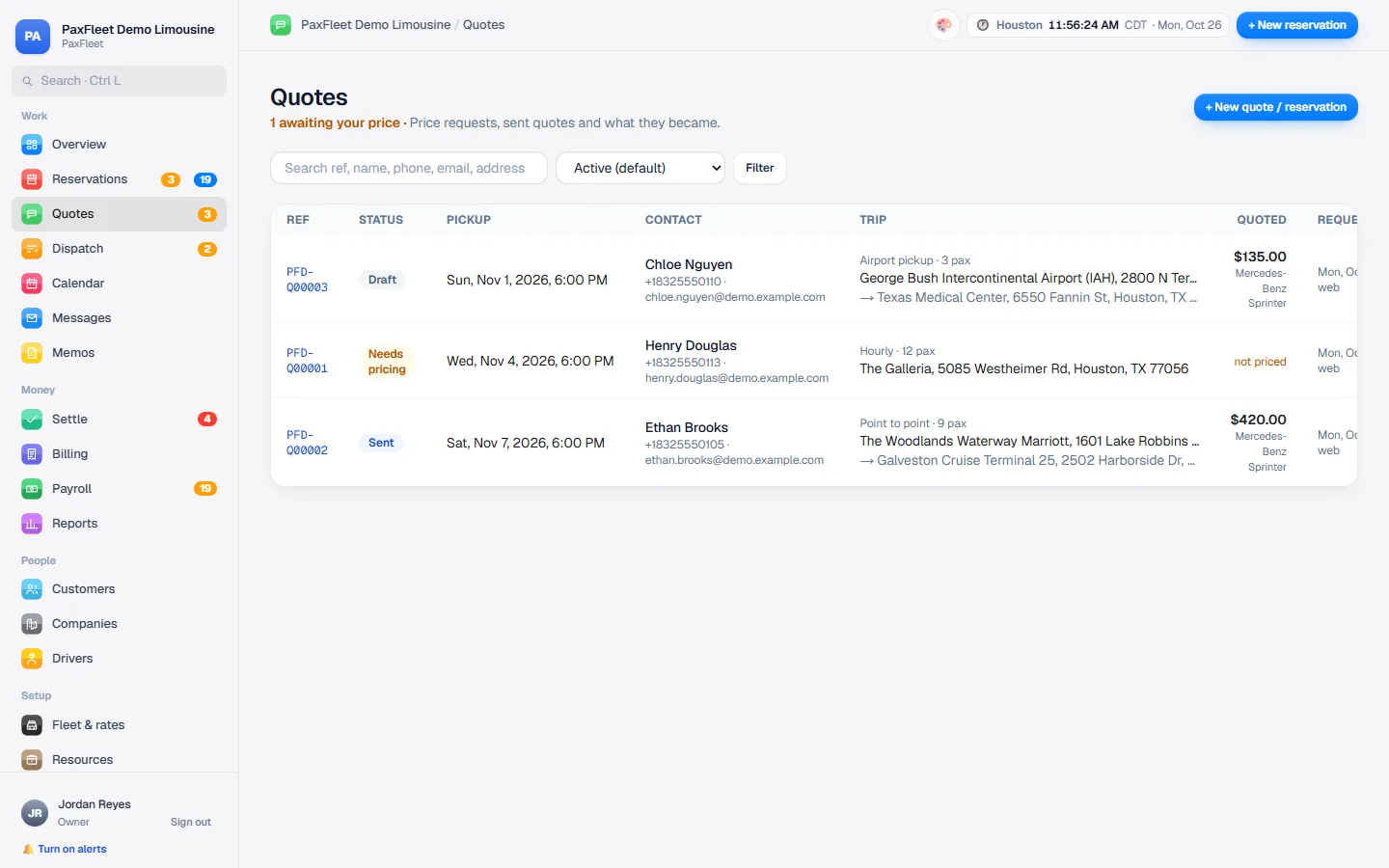
The office's list of quotes: drafts, quotes waiting for a price and quotes sent
A quote on the customer's phone with the price and an Accept and book button

Reservations and dispatch

One board for the whole day

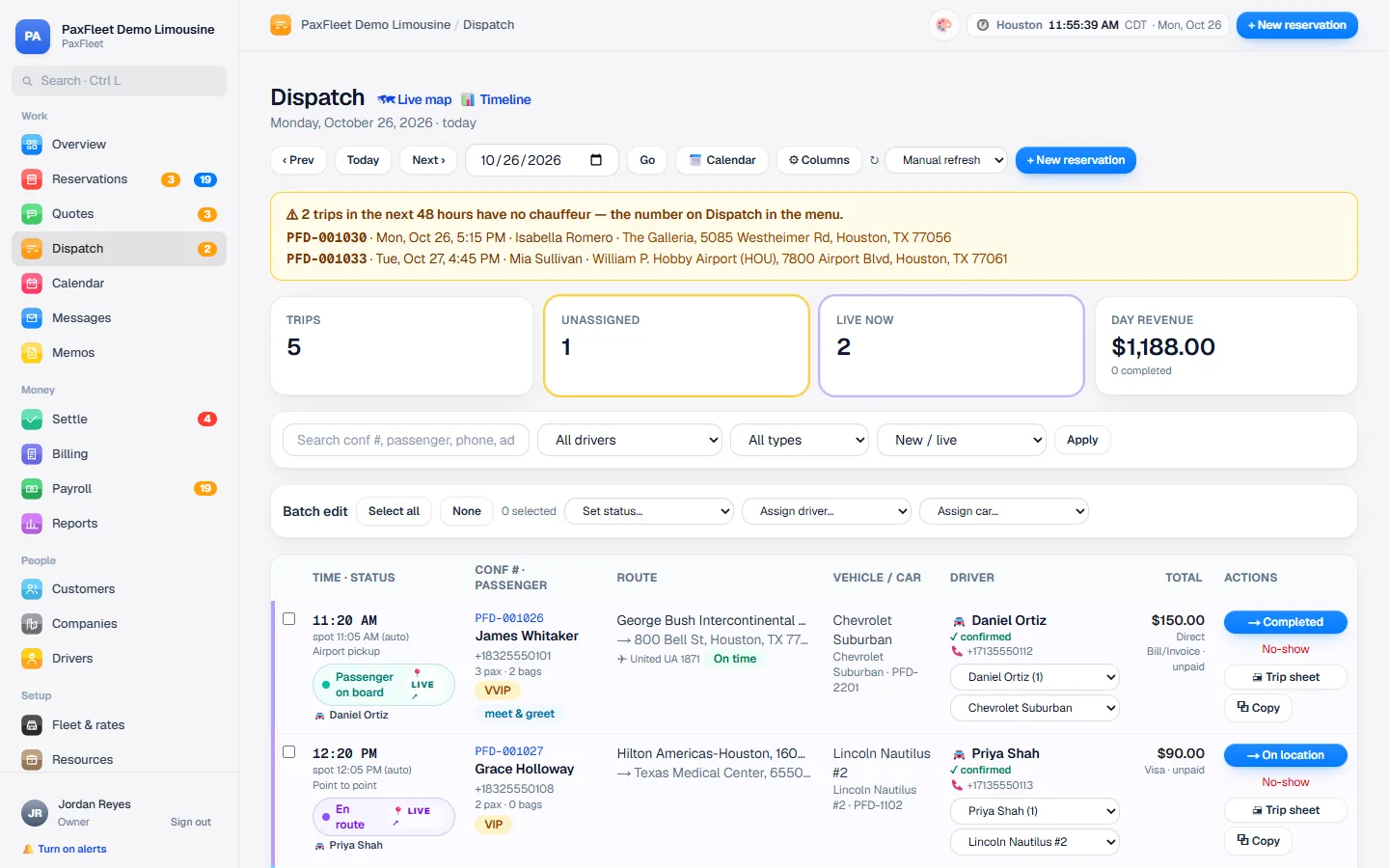
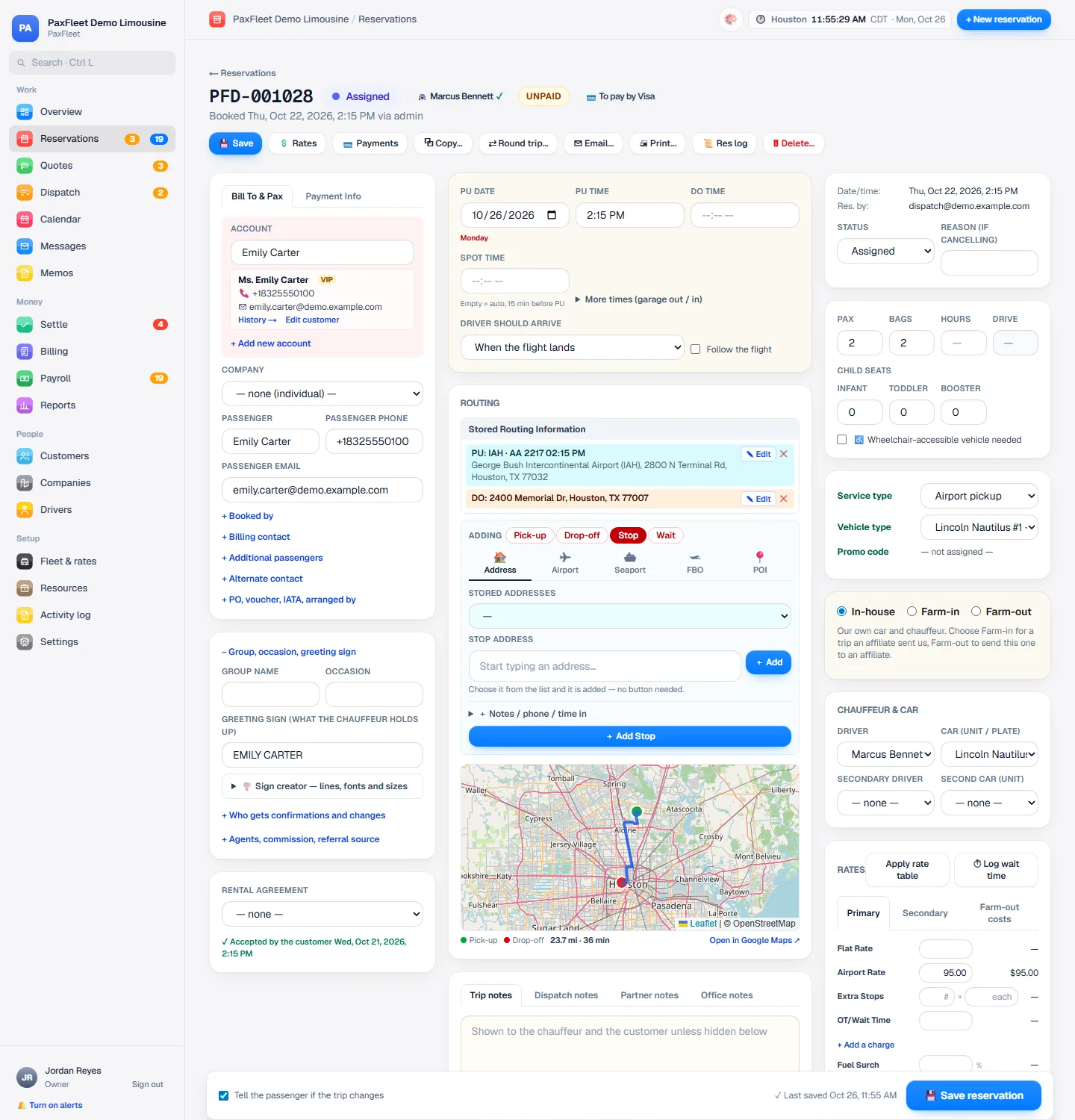
Take a phone booking on a single page, assign a chauffeur and a car, and follow each trip step by step. Trips without a chauffeur or a pickup time are flagged before they become a problem.

  1. New
  2. Confirmed
  3. Assigned
  4. En route
  5. On location
  6. Passenger on board
  7. Completed
  • One-page reservation form with stops and flight details
  • Rates grid: flat, hourly, wait time, tolls, gratuity
  • Batch edit to assign or update several trips at once
The dispatch board with chauffeurs, cars and trip statuses
The one-page reservation form: customer, passenger, routing, chauffeur, car and rates

Office live map

See every chauffeur at a glance.

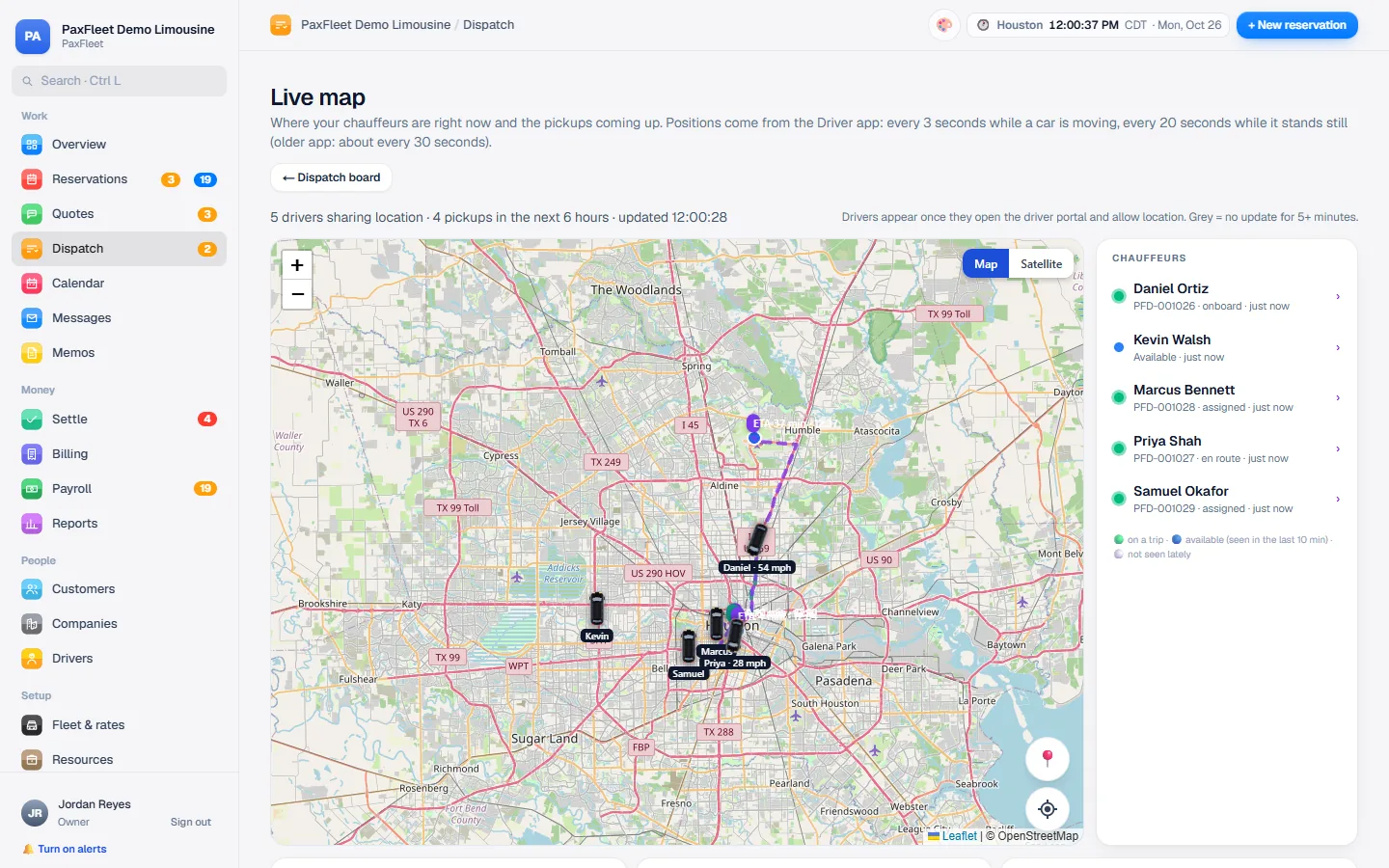
During their trips (or all shift, if you prefer), your chauffeurs' phones share their location with your office. The live map shows every chauffeur and the pickups coming up, so dispatch can answer “Where's my car?” in seconds, without calling the chauffeur.

  • Every chauffeur on a trip, on one map
  • Upcoming pickups listed beside it
  • Every few seconds while a car is moving (Android app)
The office's live map of Houston with chauffeurs' positions and the list of chauffeurs on duty

More features

Chauffeur app

Everything your chauffeur needs, on their phone

Today's trips, the passenger, the route and the flight. One tap tells the office and the customer where things stand, and the trip sheet is always one tap away.

  • I'm on my way, I've arrived, Passenger on board, Trip completed
  • Trip sheet as a page or a PDF
  • Alerts for new and changed trips
  • Running late? The passenger and the office are told
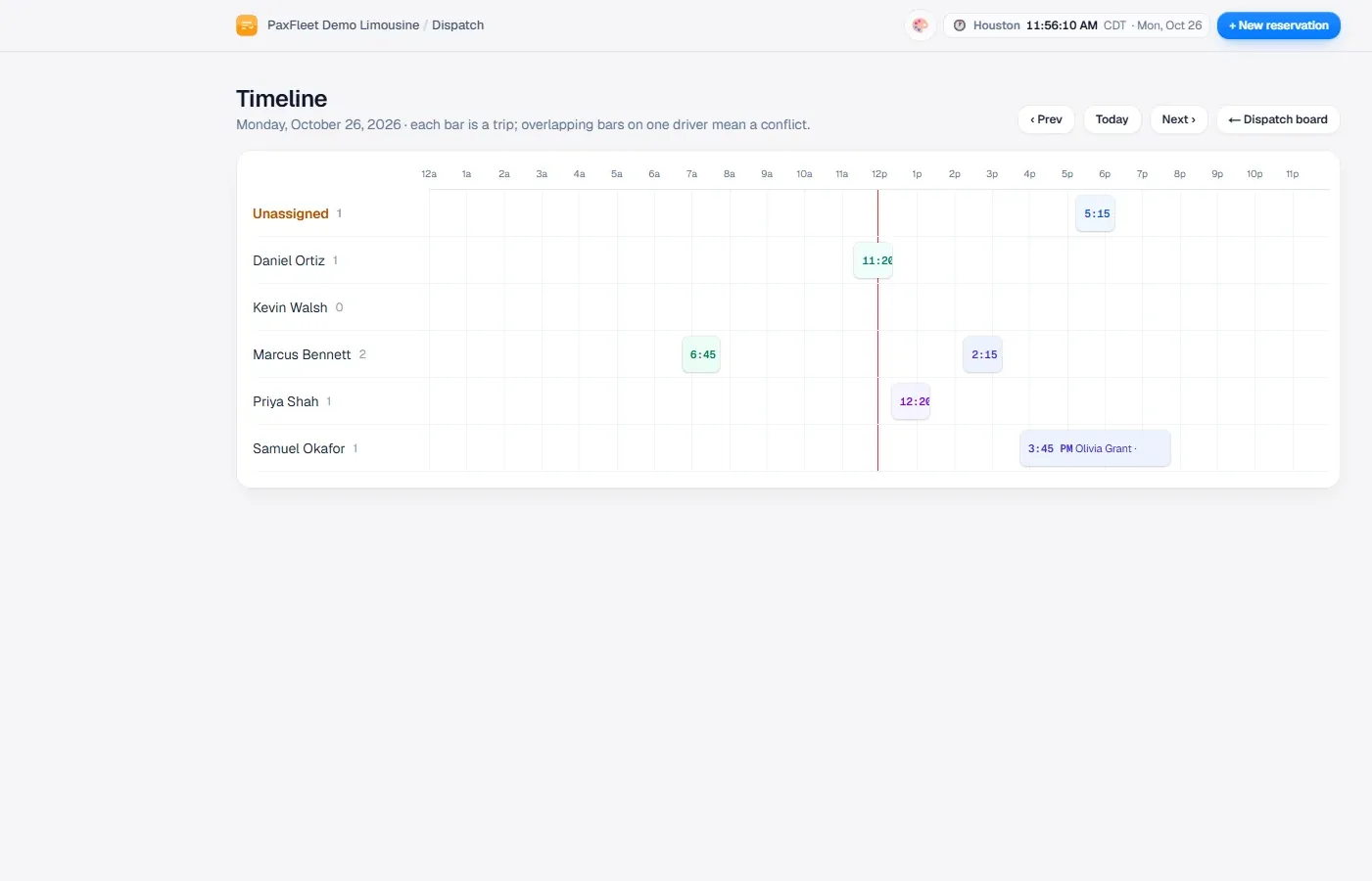
The office timeline with each chauffeur's trips across the day
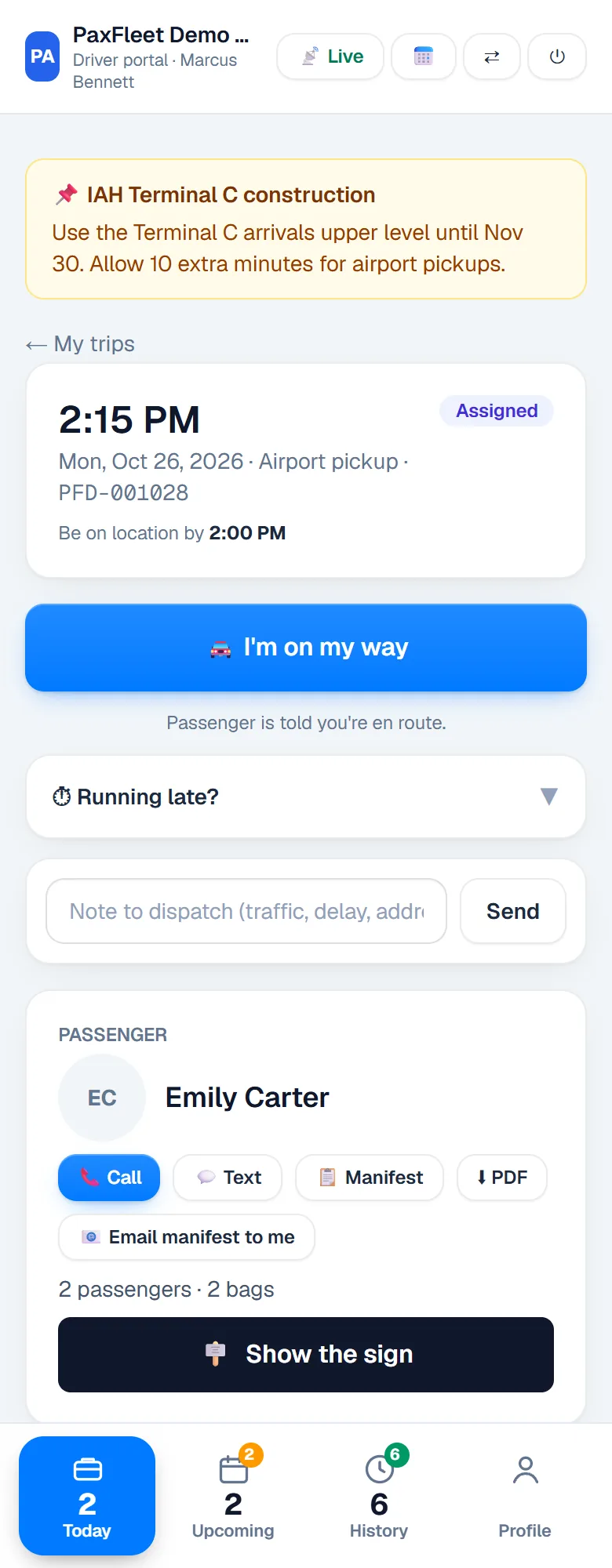
One trip in the chauffeur app with the I'm on my way button

Payments and billing

Get paid without chasing

Charge the card on file, hold an amount before the trip, refund from the trip and send the receipt automatically. Corporate accounts get invoices and statements; chauffeurs' pay is worked out as trips close.

  • Card payments, holds and refunds through your own payment provider
  • Apple Pay, Google Pay and QR pay at the car
  • Close out trips in three steps: collect, check, settle
  • Invoices, statements and money owed by age
  • Chauffeur payroll from the same trips
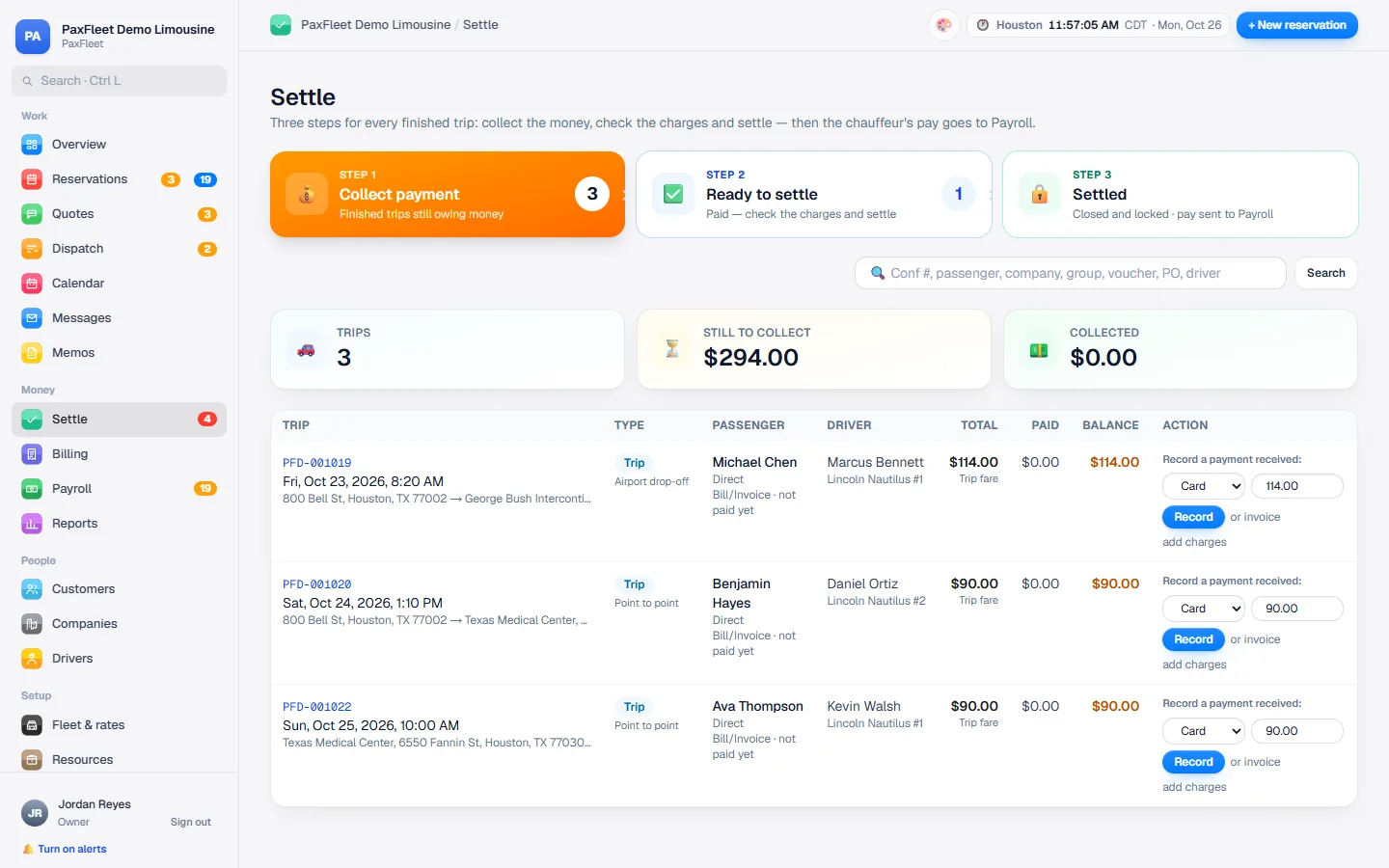
Settle: collect payment, check and settle a day's trips in three steps
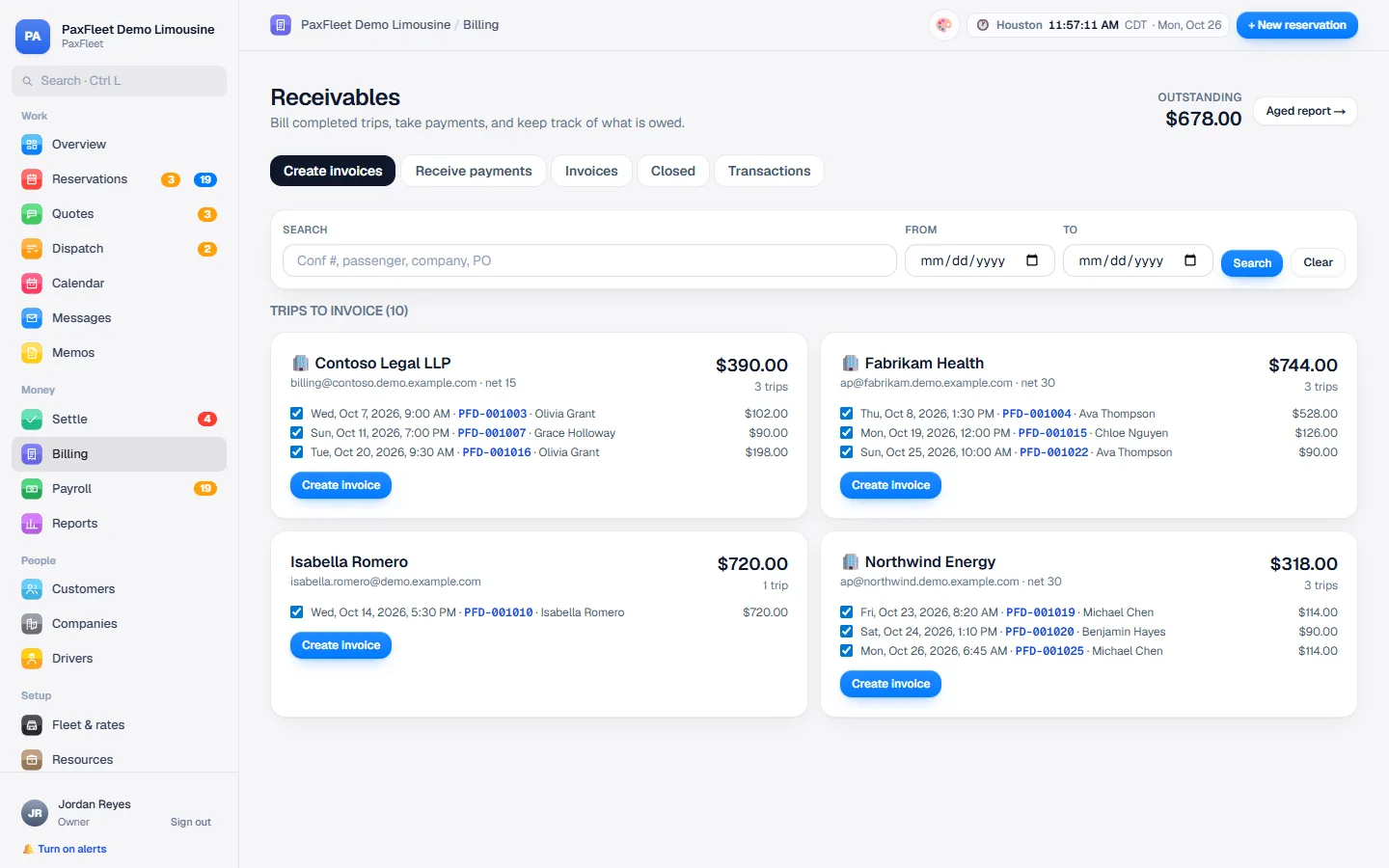
Billing: completed trips ready to invoice, grouped by company

Every way your customers pay

  • Card on fileSaved card, charged after the trip
  • Hold before the tripCharge the final amount after
  • Pay online linkSent by email or text
  • Apple Pay · Google PayOne tap on the phone
  • QR code at the carThe chauffeur shows it, the rider scans
  • Swipe or tap a cardCard reader app on the chauffeur's phone
  • Invoice · direct billMonthly for companies
  • Cash · checkRecorded on the trip

Integrates with your payment provider: Square, Stripe, PayPal, Authorize.net and others. The money goes straight to you, with refunds and receipts from the trip.

More inside

And everything around the trip

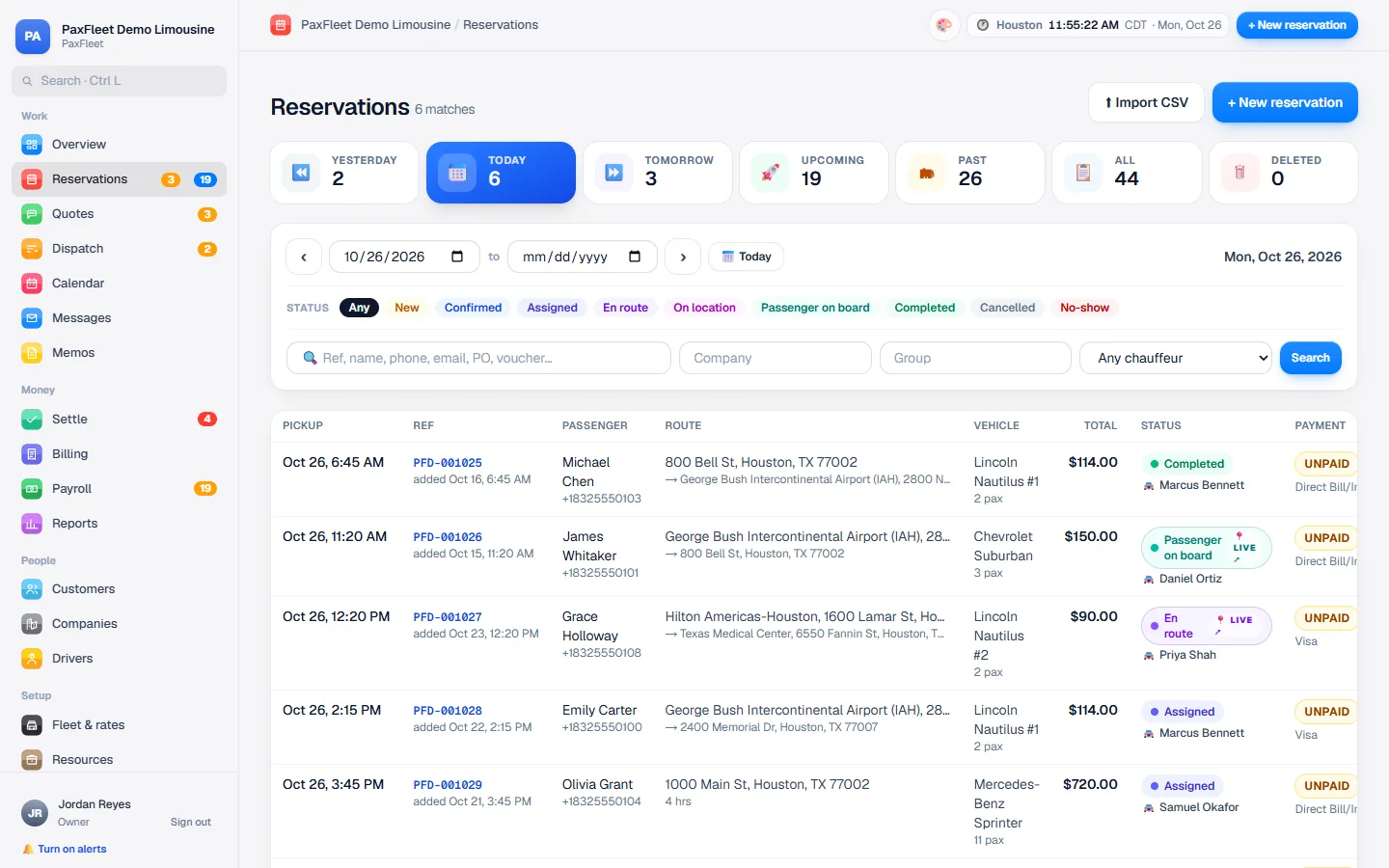
The reservations list with yesterday, today, tomorrow and upcoming trips
ReservationsToday, tomorrow and every trip ahead, with its status and payment.
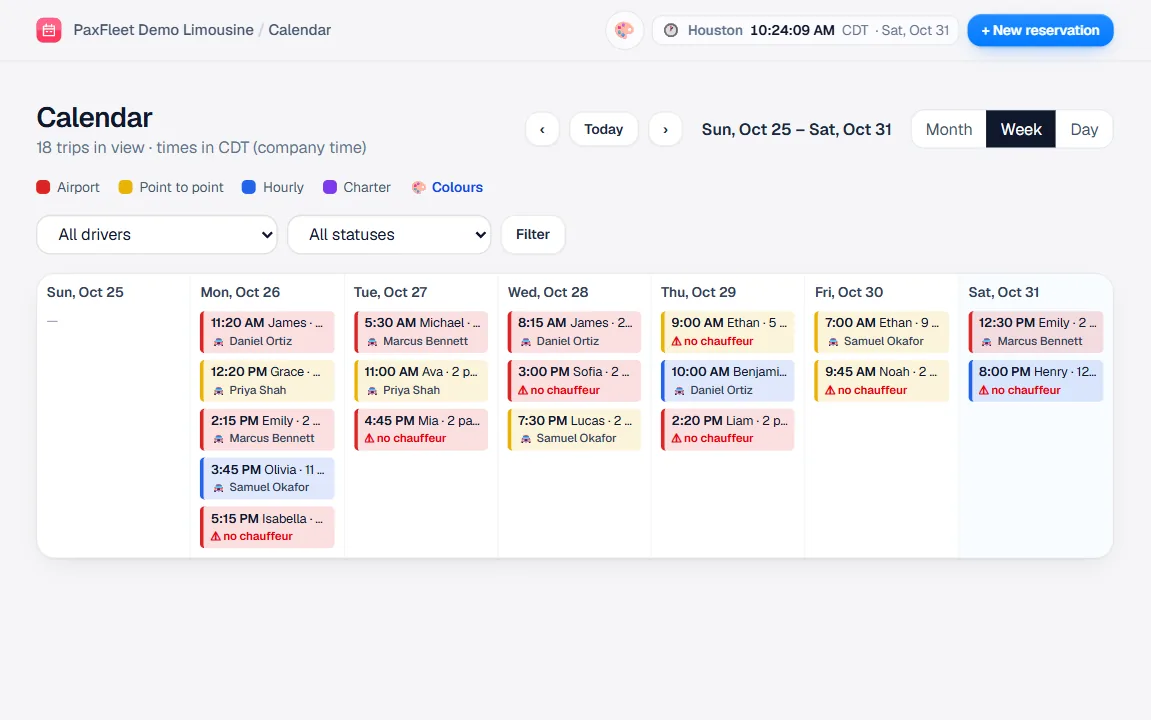
The week calendar with trips color-coded by service
CalendarThe week at a glance, color-coded by service.
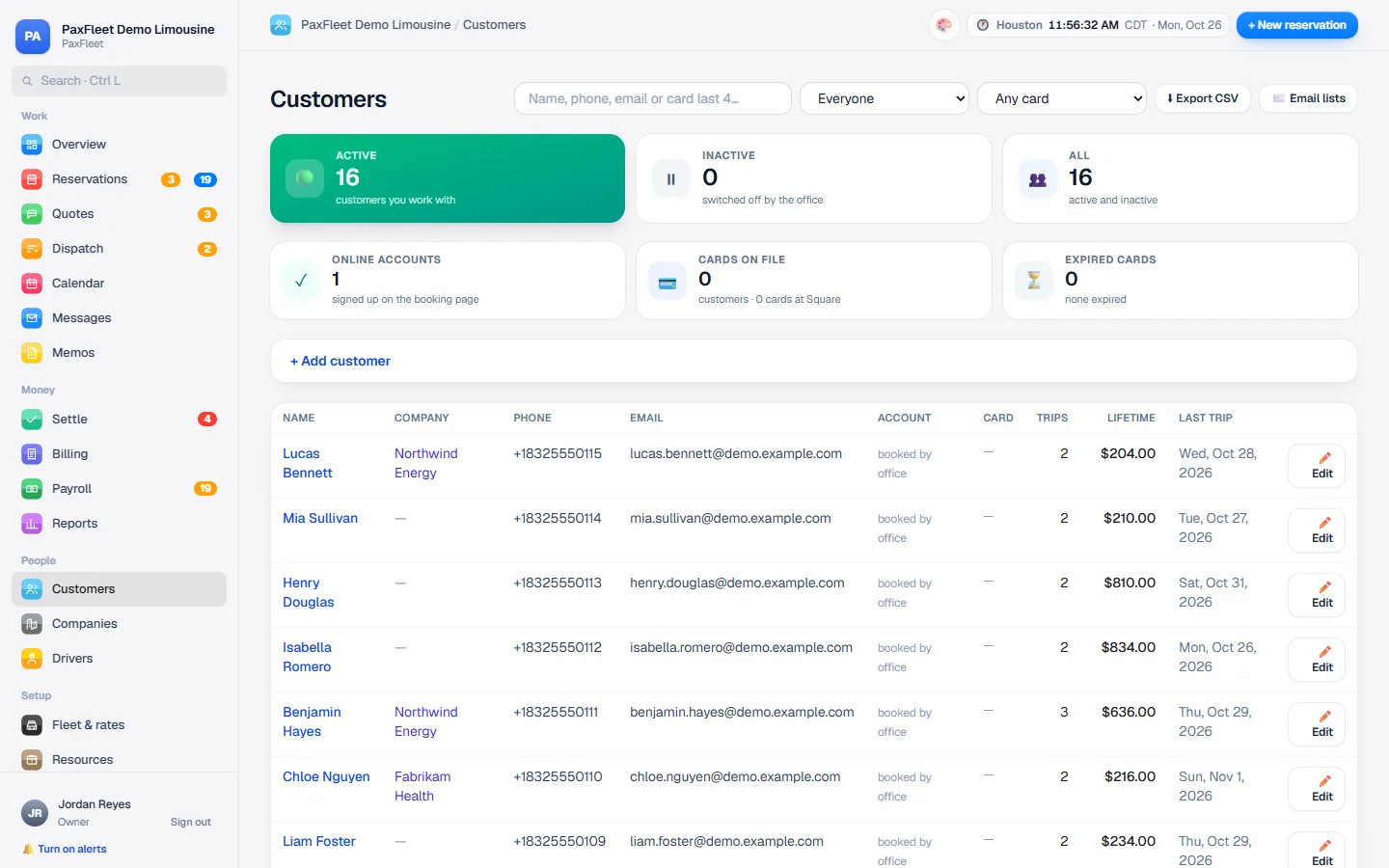
The customer list with search by name, phone, email or card
Customer listFind anyone by name, phone, email or the last four digits of their card.
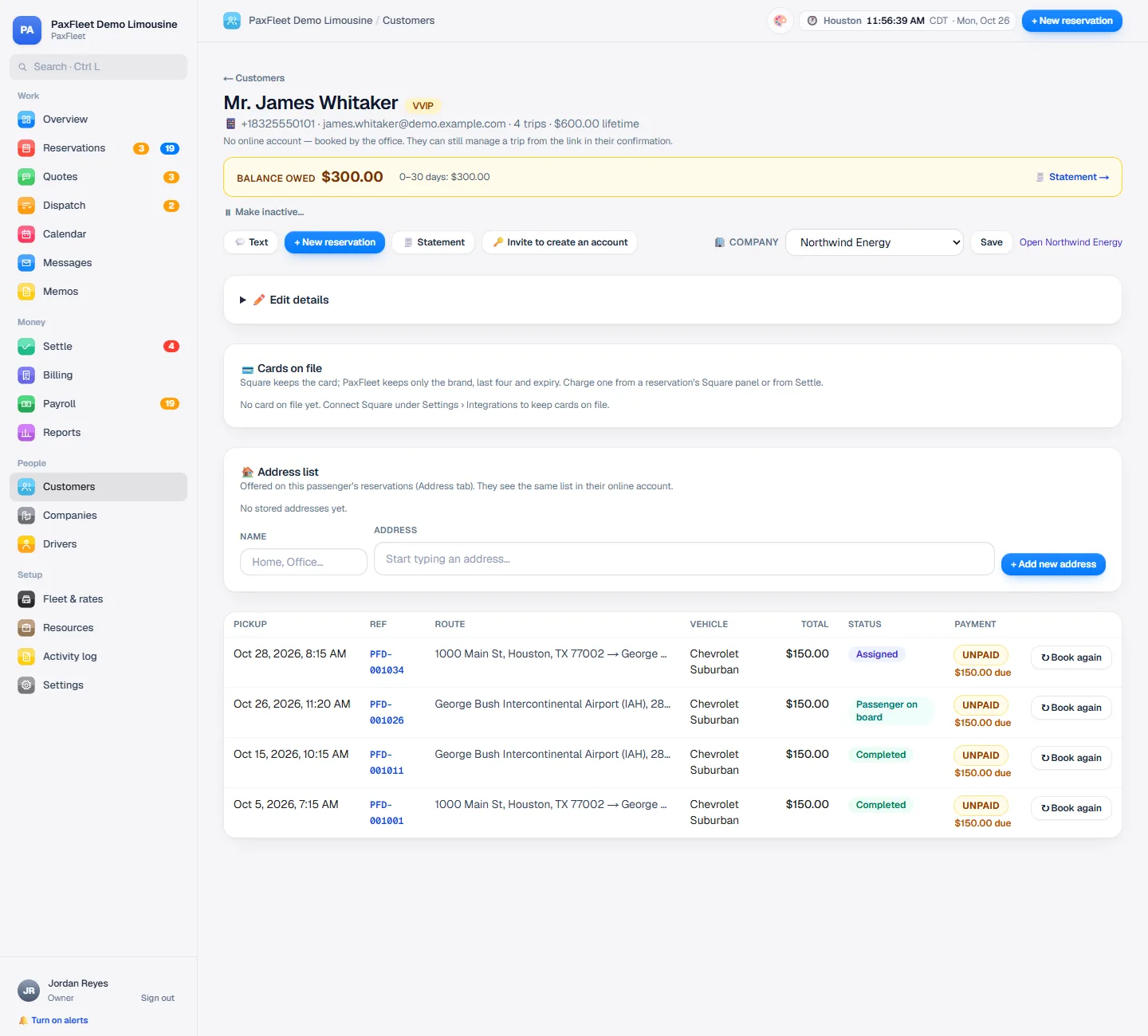
A customer's page with the balance owed and their trips
Customers and companiesEvery trip, card and balance per customer. Corporate accounts with their own bookers, billing and statements.
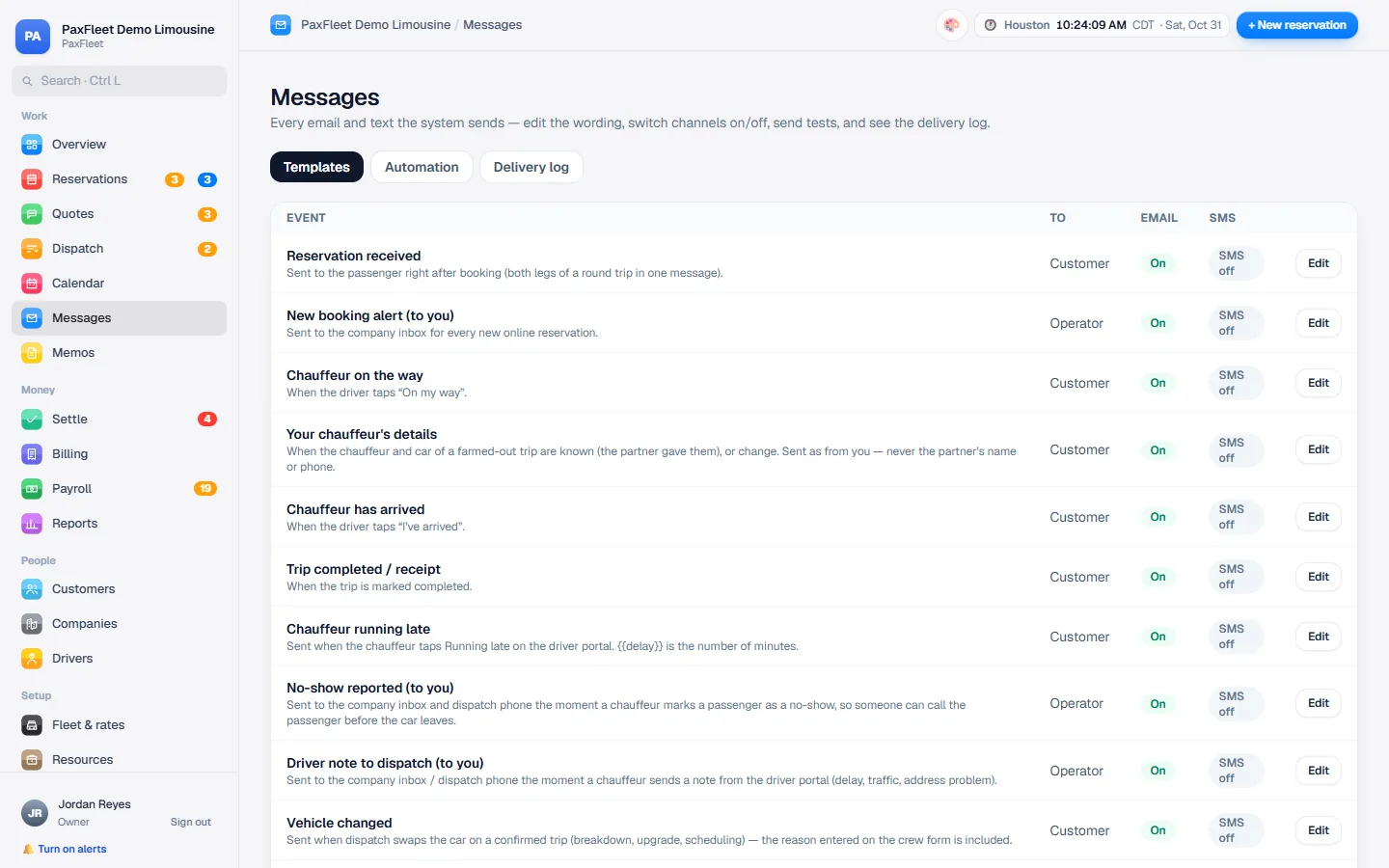
Message templates with email and text switches for each event
Automatic messagesConfirmations, reminders, cancellations and receipts by email and text, in your words. Emails come from your own address.
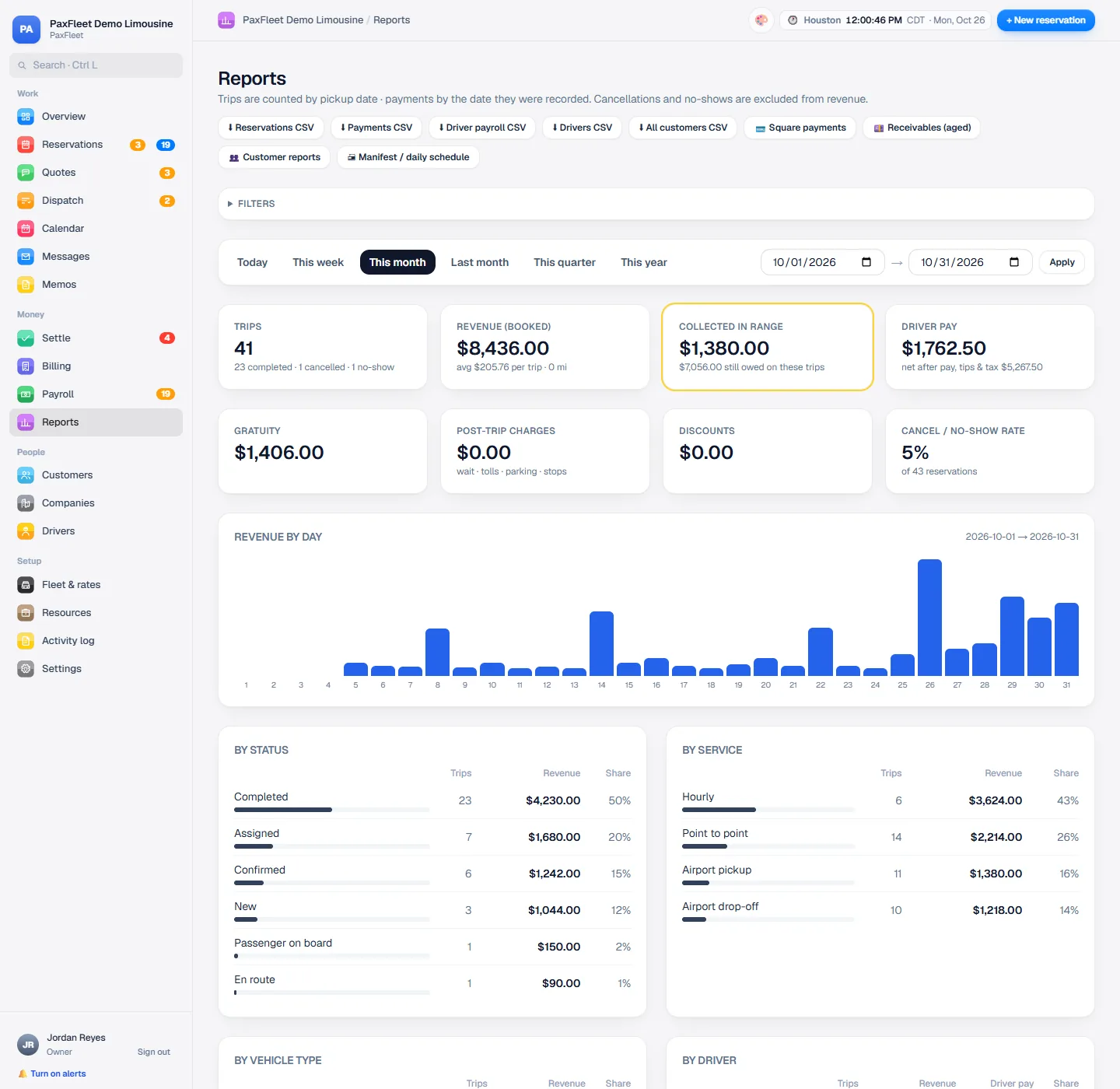
Reports with totals and revenue by day
ReportsRevenue by day, by chauffeur and by vehicle, money owed, and where your bookings come from.

Three apps, one system

Your office, your chauffeurs and your customers, always in step.

Change a trip in the office and the chauffeur's app updates at once. Your customer is told too, whenever you choose to tell them.

For the office

PaxFleet Office

Reservations, dispatch, customers, billing and reports on a laptop, a tablet or a phone.

Any browser
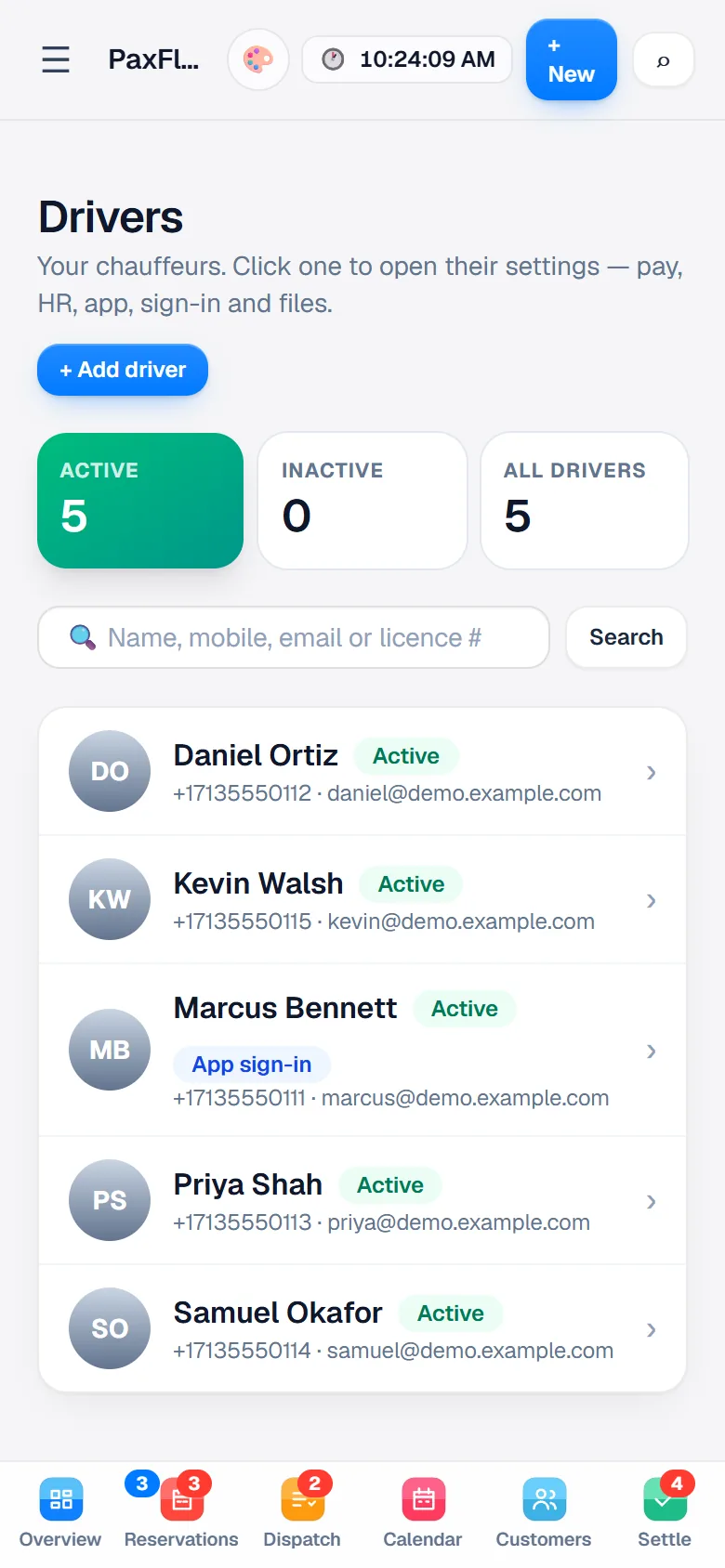
The office on a phone: the chauffeurs, each with their phone, email and status

For chauffeurs

Chauffeur app

Trips, status taps, trip sheets and alerts, with location shared with the office during trips.

Android now · iPhone coming
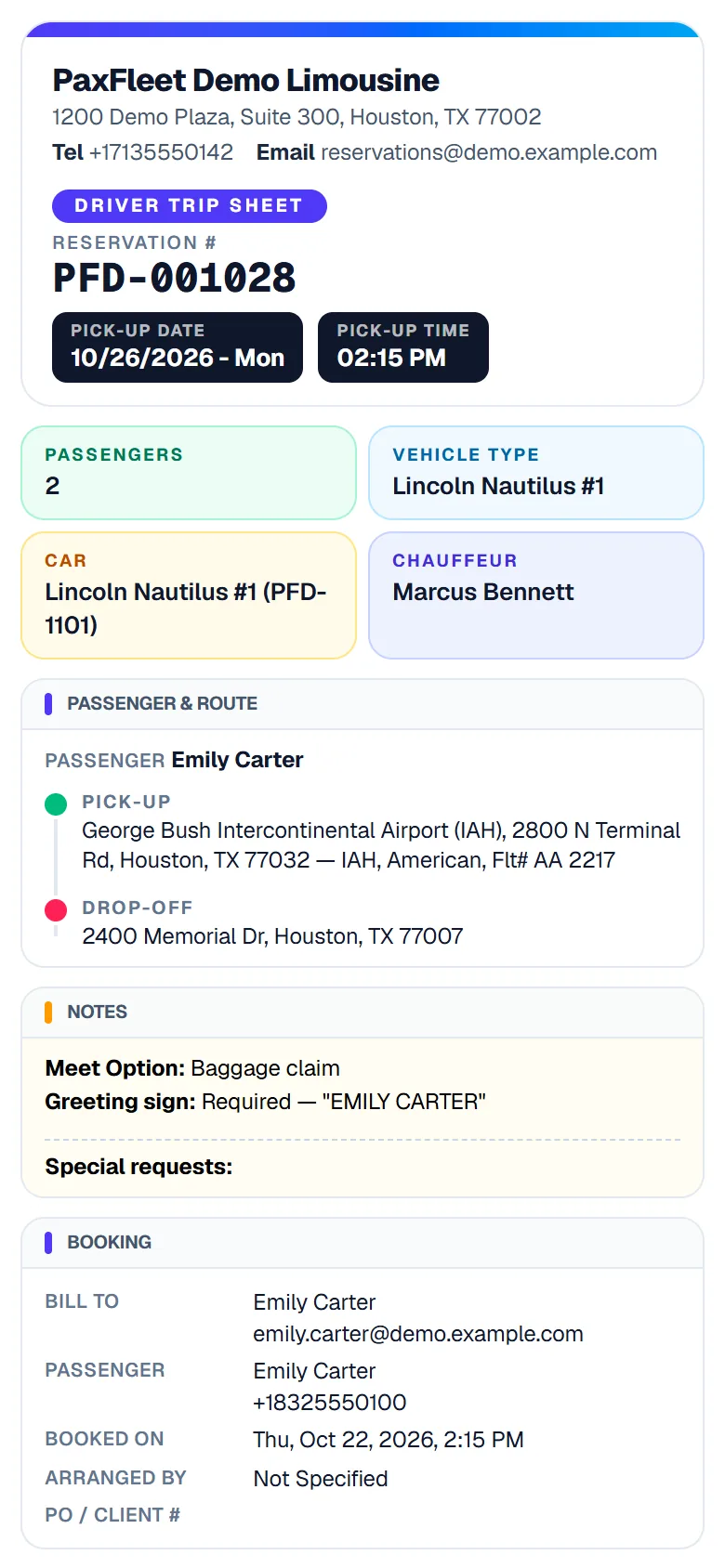
The chauffeur's trip sheet on a phone: reservation number, pickup date and time, car and chauffeur, the airport pickup with its flight, and the greeting sign

For your customers

Book a ride

Your own booking app and website: book, pay, see upcoming trips and get updates.

Your name on it
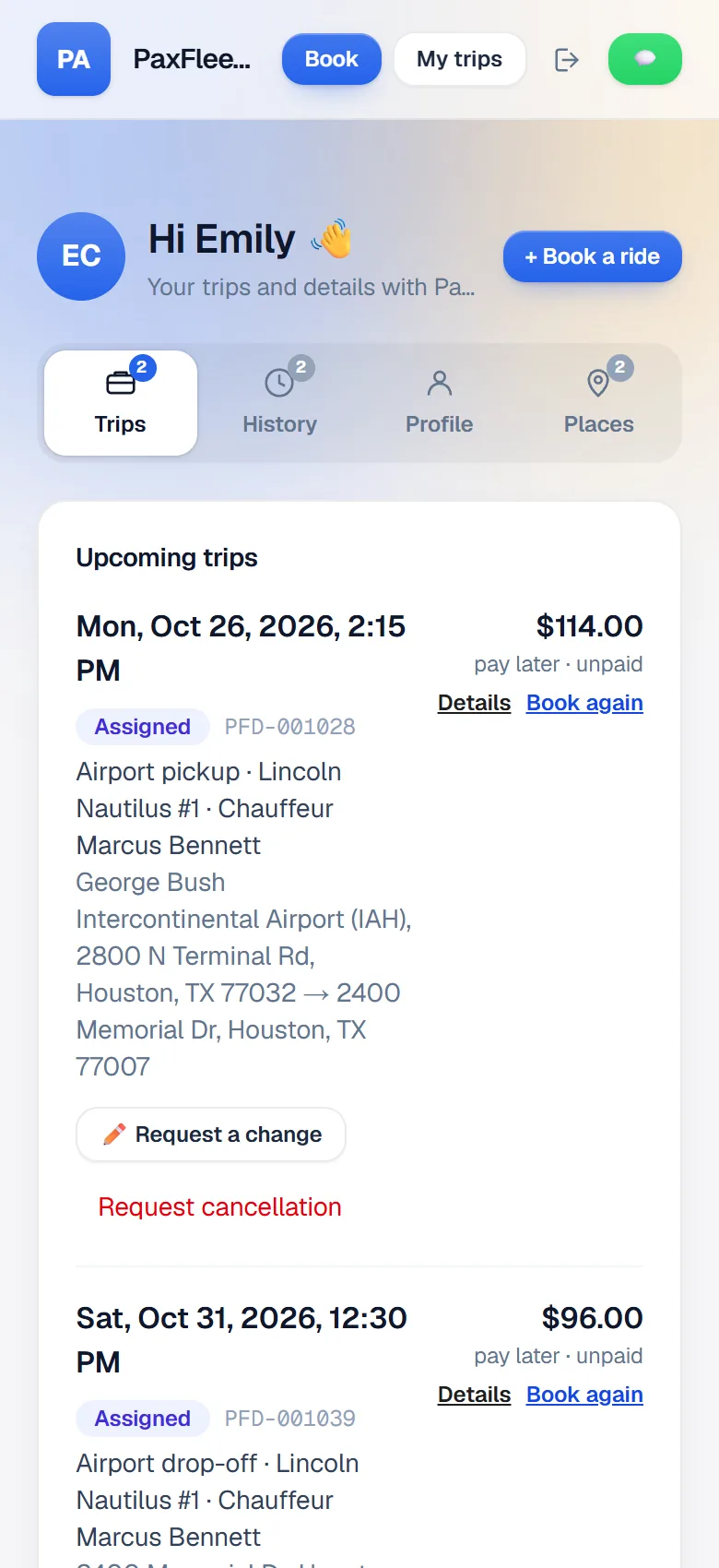
A customer's account with their upcoming trips

Safe and reliable

Your business data, in safe hands.

Bookings and payments are the heart of your company. PaxFleet keeps them safe, backed up and only in the right hands.

6-hour backups
A full backup every six hours, plus a daily copy stored off-site and a weekly test restore.
6 roles
Owner, admin, dispatcher, reservationist, accounting and chauffeur each see only what they need.
2-step sign-in
Optional sign-in codes by email, automatic sign-out when idle, and a master password before a trip or customer can be deleted.
Full history
Every trip and payment shows who changed what and when, and an activity log records settings, sign-ins and access changes.

Proven every day by a chauffeured transportation company in Houston, Texas.

Getting started

We set it up with you.

Live in days, not months

  1. A short call

    Tell us how your company runs: your services, vehicles, prices and the way your office works today.

  2. Configured with you

    Your brand, rates, messages and documents, set to the way you work. Customers come over from Square or a spreadsheet.

  3. Your team goes live

    We train your office and chauffeurs and stay on hand through your first weeks.

Questions

Good to know.

Anything else? Ask us on a demo call.

How can it be made for my company and still be SaaS?

PaxFleet is one platform that every company uses, configured differently for each. Your brand, services, rates, messages and rules are yours. When you need something we don't have yet, we can build it into the platform, so it stays up to date with every release and you never maintain software yourself.

Can I use my own web address and email?

Yes. Your booking website can run on your own address, such as book.yourcompany.com, and the emails your customers get are sent from your own email address, through your own mailbox.

Can you bring over my customers from my current system?

Yes. We import customers and saved cards from Square, and customers from a spreadsheet exported by most booking systems. Switching from another system? We help you move your data.

Do my chauffeurs need a special phone?

No. The chauffeur app runs on Android phones today, with iPhone coming. Chauffeurs can also open their trips in any phone browser.

How do customers pay?

Through your own payment provider (Square, Stripe, PayPal, Authorize.net and others): card on file, a hold before the trip, a pay online link, Apple Pay or Google Pay, a QR code at the car, or a card swiped on the chauffeur's phone. Corporate customers can be invoiced, and cash or check is recorded on the trip. The money goes straight to you.

What does it cost?

Every company is configured differently, so we agree on a price with you on the demo call, based on your fleet and what you need.

Book a demo

Let's set PaxFleet up your way.

Tell us a little about your company. We'll get in touch, show you PaxFleet set up for your vehicles and services, and answer every question.

  • We reply within one business day
  • A demo built around your fleet
  • Your price, agreed with you on the call

Your details are used only to contact you about PaxFleet.